
Is NetMirror APK Safe? Security Checks Before Installation
Many Android users search for NetMirror APK to explore online streaming options. Before downloading it, however, one important question needs an answer: Is NetMirror APK safe to install on your device?
The answer depends on the specific APK file, its source, the permissions it requests, and whether its contents have been independently verified. An APK downloaded from an unfamiliar website may carry security and privacy risks, even if the website describes it as safe.
In this guide, you will learn how to assess NetMirror APK safety, check for potential malware, review app permissions, protect your personal information, and decide whether installing the app is worth the risk.
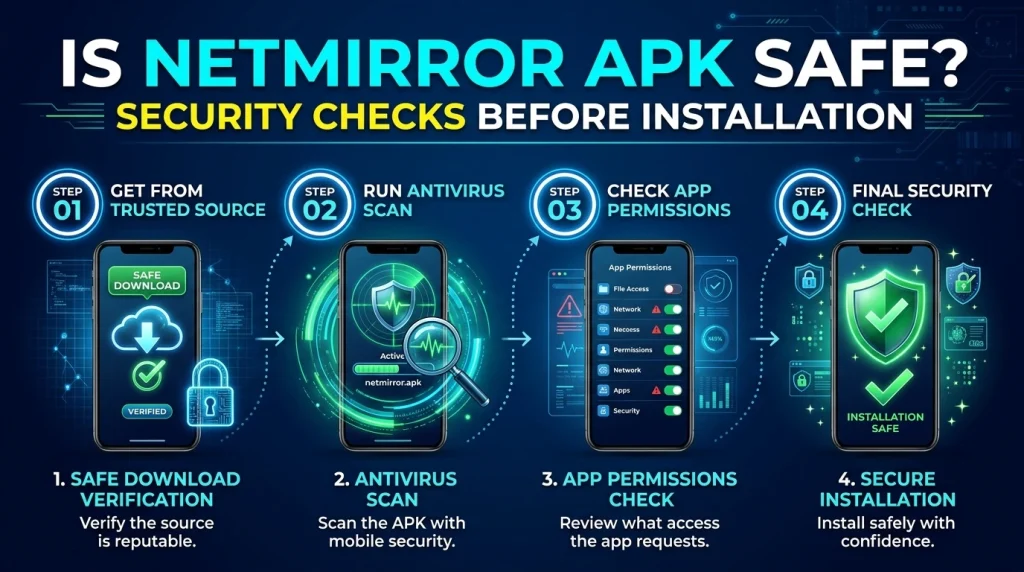
Is NetMirror APK Safe to Use?
There is not enough reliable, independently verified information to guarantee that every NetMirror APK file is safe. Different websites may distribute different versions, and a file’s name or logo does not prove that it comes from a trustworthy developer.
Before installing NetMirror APK, consider these potential risks:
- Malware: A modified APK may contain harmful code that affects your device.
- Privacy concerns: An app may collect information about your device or usage.
- Excessive permissions: Some applications request access to information or features they do not need.
- Fake download buttons: Untrustworthy websites may redirect visitors to unrelated downloads or deceptive advertisements.
- Outdated versions: Older APK files may contain security weaknesses that have not been fixed.
- Uncertain updates: Applications obtained outside official stores may not receive reliable security updates.
These are general risks associated with unverified APK files, not proof that every NetMirror APK contains malware.
Safety recommendation: Do not install a NetMirror APK unless you can establish that the file comes from a trustworthy source and passes appropriate security checks.
What Is NetMirror APK?
NetMirror APK refers to an Android application package distributed under the NetMirror name. Users searching for it may be looking for a streaming application or a way to access online entertainment.
An APK is the file format Android uses to distribute and install applications. Unlike an app’s name or website description, the APK itself contains the software that will run on your device.
This distinction matters because a third-party website can rename, modify, or repackage an application. Two files displaying the same app name may not contain the same software.
Before downloading any APK, verify the developer’s identity, the authenticity of the download source, and the permissions requested during installation.
7 Security Checks Before Installing NetMirror APK
If you are considering installing NetMirror APK, complete these checks first.
1. Verify the Download Source
Start by identifying where the APK comes from.
A trustworthy download source should provide clear information about the developer, the application, and the available version. Be cautious if the website offers no developer details, uses misleading download buttons, or redirects you through several unfamiliar pages.
Check whether the developer has an identifiable official website and whether the download is linked from that source.
A professional-looking website, HTTPS connection, or large number of downloads does not independently prove that an APK is safe.
If you cannot establish the source’s credibility, the safest option is not to install the file.
2. Scan the APK for Malware
Before opening an APK file, scan it with a reputable security tool.
Android users can start with Google Play Protect, which checks applications for potentially harmful behaviour. Its protection may also apply to apps installed from outside Google Play.
Read Google’s guidance here:
Google Play Protect: Help and Security Information
Keep in mind that no security scanner can guarantee that a file is completely safe. A new, modified, or sophisticated threat may not be detected.
If a scanner flags the APK as harmful, do not ignore the warning or disable protection just to complete the installation.
3. Review App Permissions
App permissions determine which device features and information an application can access.
Before granting permissions to NetMirror APK, consider whether each request makes sense for the app’s stated purpose.
For example:
- Camera: Question why a streaming app needs camera access if you are not using a feature that requires it.
- Microphone: Check whether the app genuinely needs microphone access.
- Contacts: A streaming app generally should not need your address book for basic playback.
- Location: Consider whether precise or background location access is necessary.
- Photos and files: Review whether the app requests more storage access than its features require.
- Accessibility access: Be particularly cautious if an unfamiliar app asks for extensive accessibility control.
The presence of a permission does not automatically mean an app is malicious. However, unnecessary or unexplained permissions are a reason to stop and investigate.
You can review and change many permissions through Android’s Settings app.
4. Check the APK Version and Developer Information
Look for the application’s version number, release information, and developer details.
Be cautious if the download page makes unsupported claims such as:
- Completely virus-free
- Guaranteed safe
- Unlimited premium access
- Official version without identifying the developer
These statements are not substitutes for independent verification.
If a trusted developer provides a published file hash or digital signature, it may help you verify that the downloaded file matches the expected release. However, a matching hash only confirms a match with the trusted reference; it does not independently establish that the software itself is safe.
If the source and developer cannot be verified, avoid installing the file.
5. Keep Google Play Protect Enabled
Google Play Protect provides an additional layer of Android security by checking applications for potentially harmful behaviour.
Before installing any third-party APK:
- Open the Google Play Store.
- Tap your profile icon.
- Open Play Protect.
- Check its protection status.
- Run a scan if the option is available.
- Keep protection enabled.
The exact menu labels may vary by Android version.
Do not disable Play Protect simply because an APK website tells you to do so. A warning should be investigated rather than bypassed.
6. Avoid Unnecessary Login Information
Be careful if an unfamiliar streaming application asks you to enter sensitive information.
Do not provide your email password, banking credentials, payment card details, or other sensitive information unless there is a clear, legitimate reason and you trust the service handling it.
If an app requires account registration, review its privacy policy and determine how it handles personal information.
Avoid reusing passwords from other accounts. If you have already entered a password into a service you no longer trust, change that password and any other passwords that reuse it.
7. Check for Suspicious Behaviour After Installation
Even if an APK passes an initial scan, monitor your device after installation.
Potential warning signs include:
- Unexpected pop-up advertisements outside the app
- Repeated browser redirects
- Unusual battery drain
- Unexpected mobile data consumption
- Unknown applications appearing on your device
- Repeated security warnings
- Unexplained changes to device settings
- Requests for additional permissions unrelated to the app’s features
These symptoms can have other causes, so they do not automatically prove that malware is present. However, unusual behaviour deserves investigation.
If you suspect the application is harmful, stop using it, revoke unnecessary permissions, uninstall it if possible, and run a security scan.
What Are the Risks of Downloading NetMirror APK From Third-Party Websites?
Downloading an APK from a third-party website can create risks that are harder to assess than installing an application through a trusted distribution channel.
Modified or Repackaged Files
A third party may change an application’s contents before distributing it. The resulting file may behave differently from the software described on the download page.
Fake Download Pages
Some websites use multiple download buttons, misleading advertisements, or automatic redirects. Users may accidentally download an unrelated file instead of the intended application.
Privacy and Data Collection
An application may collect device information or usage data. Without reliable developer information and a clear privacy policy, it can be difficult to determine what information is collected or how it is used.
Lack of Reliable Updates
Third-party downloads may not receive updates through a dependable mechanism. Users could remain on an outdated version without knowing whether important security issues have been addressed.
Unclear Content and Distribution Rights
The availability of a streaming application does not establish that all content accessible through it is licensed. Consider the service’s legitimacy and use authorised sources for the content you watch.
How to Install an APK More Safely on Android
The safest general approach is to use a trusted app store or the developer’s verified distribution channel.
If you are assessing any third-party APK, follow these precautions:
- Verify the developer and download source.
- Check the application’s identity and version.
- Scan the downloaded file with a reputable security tool.
- Keep Google Play Protect enabled.
- Review every permission request.
- Avoid granting accessibility, administrator, or other powerful access without a clear and justified need.
- Do not provide unnecessary personal or financial information.
- Stop if the device or security software displays a credible warning.
Android may require permission to install applications from a particular source. Granting that permission does not verify the APK’s safety. Avoid enabling installation from unfamiliar sources unless you have a clear reason and have assessed the risks.
For additional guidance, consult Android Help.
What Should You Do If You Have Already Installed NetMirror APK?
If you installed NetMirror APK and are now concerned about its safety, take these steps.
Step 1: Review the Application’s Permissions
Open your Android settings and locate the app’s permission page. Revoke permissions that are unnecessary or that you do not understand.
Step 2: Run a Security Scan
Open Google Play Protect and scan your device. Follow any instructions provided by the security tool.
Step 3: Uninstall the Application if Necessary
If the APK came from an unverified source, triggered a security warning, or behaves suspiciously, stop using it and uninstall it.
If you cannot uninstall the app normally, check whether it has been granted device administrator or accessibility access. Revoke unauthorised access where possible before trying again.
Step 4: Check Your Accounts
If you entered passwords or other sensitive information into the application, consider changing the affected credentials.
If you notice suspicious activity on an account, review its recent sign-ins and sign out unfamiliar sessions where the service allows it.
Step 5: Monitor Your Device
Continue monitoring battery usage, data consumption, installed applications, and security alerts.
If suspicious behaviour persists after uninstalling the app, seek help from a trusted device-support professional. A factory reset may be necessary in some serious cases, but back up important files carefully before taking that step.
Safer Alternatives to Unverified Streaming APKs
If your main goal is to watch movies, shows, or other video content, consider established services with identifiable providers and clear privacy policies.
Depending on your location and the content you want to watch, options may include:
- YouTube: Official videos, films, and other content available through its service.
- Netflix: Subscription-based entertainment, subject to regional availability.
- Amazon Prime Video: Streaming content offered through its official service.
- Other authorised streaming platforms: Choose services that clearly identify their operators and explain their terms and privacy practices.
You can find these services through their official websites or trusted app stores.
The best alternative depends on your country, budget, preferred content, and device compatibility. An official app is not automatically free of all security risks, but a reputable provider generally offers clearer accountability and more reliable update channels than an unknown APK distributor.
Frequently Asked Questions
Is NetMirror APK safe for Android?
Its safety cannot be guaranteed without verifying the specific APK file and its source. Review the developer information, scan the file, check permissions, and avoid installation if you cannot establish that the download is trustworthy.
Can NetMirror APK contain a virus?
A third-party APK can contain malware if it has been modified or distributed by an untrustworthy source. This possibility does not establish that every file using the NetMirror name is infected.
How can I check NetMirror APK for malware?
Scan the file with a reputable security tool, keep Google Play Protect enabled, and investigate any warnings. Remember that a clean scan is not a guarantee that a file is completely safe.
Is it safe to download NetMirror APK from an unknown website?
Downloading applications from unknown websites increases uncertainty about their authenticity and security. If you cannot verify the developer and file, avoid downloading or installing it.
Does NetMirror APK require special permissions?
Permission requirements depend on the specific application and its features. Review each request and be cautious about access to contacts, precise location, accessibility services, or other sensitive functions that do not appear necessary.
What should I do if Google Play Protect warns me about an APK?
Do not ignore the warning or disable protection to install the file. Avoid installing the APK and follow the security tool’s instructions.
Can an APK steal personal information?
A malicious or improperly designed application may expose personal information through excessive permissions, unsafe data handling, or malicious behaviour. Avoid providing sensitive information to applications whose developers and privacy practices you cannot verify.
Is an APK safe if a website says it is virus-free?
No. A website’s claim is not independent proof of safety. Use trusted distribution channels, scan the file, review permissions, and consider the source’s credibility.
Should I disable Play Protect to install NetMirror APK?
Disabling Play Protect to bypass a warning is not recommended. If the application cannot be installed without bypassing a security warning, choose a safer alternative.
Final Verdict: Should You Install NetMirror APK?
Do not assume that NetMirror APK is safe simply because it is available for download. Its safety depends on the specific file, its origin, its behaviour, and the permissions it requests.
Before installation, verify the source, check the developer information, scan the APK, and keep Android’s security protections enabled. If you cannot establish that the file is trustworthy, the safer decision is to avoid installing it and choose an established streaming service instead.
Protecting your device and personal information is more important than installing an application from an unverified source.